Feb 9, 2026
Ever walked out of a workshop or meeting with perfect user flows but couldn't answer: "What should the confirmation message say?"
You're not alone. Most teams design the structure before the dialogue. Here's why that's backwards—and how to fix it.
The Problem: We Design Backwards
What typically happens:
Product manager writes requirements
Designer creates wireframes (boxes and buttons)
Developer builds the screens
During review sessions: "What text should go here?"
The actual words—the conversation between user and system—gets figured out last.
Result: Awkward copy. Generic messages. Frustrated users.
What "Conversation First" Actually Means
Before drawing a single wireframe, write the dialogue.
Traditional or usual Approach:
[Form Field: Issue Description]
[Dropdown: Priority Level]
[Button: Submit]
What's missing? The human interaction.
Conversation-First Approach:
USER: "My laptop keeps crashing. I need help fast."
SYSTEM: "That's frustrating, especially with a deadline coming up.
Based on repeated crashes, I'd recommend requesting a replacement rather than repair. Repairs take 7-10 days. Sound good?"
USER: "Yes! How long for replacement?"
SYSTEM: "Typically 3-4 days. I'll mark this high priority.
Your manager will need to approve first—usually takes about 8 hours.
Should I submit this now?"
Now you know:
What questions to ask?
What information to show?
What button should say?
What confirmation message to display?
Why This Works: Real Example
Here's a real example from an IT service request system designed:
Instead of starting with wireframes, I imagined the help desk conversation:
At the IT counter:
IT Agent: Hi, what can I help you with today?
Me: My laptop keeps freezing. I can't get any work done.
IT Agent: That's frustrating. Do you have any important deadlines coming up?
Me: Yes, client presentation on Friday.
IT Agent: Okay, that's tight. Based on repeated freezing, we should probably replace it rather than repair—repairs take about a week. Does that work?
Me: Yes, definitely. How long will replacement take?
IT Agent: Usually 3-4 days. I'll mark this urgent because of Friday. Your manager will need to approve it first. I'll send her a notification now, and she typically responds within a few hours. You'll get an email as soon as she does. Sound good?
Me: Perfect, thank you.
Now when I designed the digital request form, I knew exactly:
✅ Ask about the problem AND the deadline (urgency context matters)
✅ Recommend solution (repair vs. replace) based on situation
✅ Set clear timeline expectations (3-4 days)
✅ Explain approval process (manager first, then IT)
✅ Specify when they'll hear back (within hours)
✅ Offer notification preferences
Without conversation (what most teams do):
Wireframe shows:
Request type dropdown
Description field
Priority selector
Submit button
Developer asks: "What happens after submit?"
Designer: "Um... show a success message?"
Developer: "What should it say?"
Designer: "Request submitted successfully?"
User experience:
Clicks submit
Sees: "Request submitted successfully"
Thinks: "Okay... now what? When will someone help me? Should I follow up?"
With conversation first:
The digital form mirrors the human conversation:
SYSTEM: "I can help with that. What's going on?"
USER: [Types] "Laptop keeps freezing"
SYSTEM: "That's frustrating. Do you have any deadlines coming up that make this urgent?"
USER: "Client presentation Friday"
SYSTEM: "Got it. Based on repeated freezing and your Friday deadline, I'd recommend requesting a replacement rather than repair.
Repairs typically take 7-10 days, but replacements are 3-4 days.
Should I create a replacement request?"
USER: [Clicks] "Yes, create replacement request"
SYSTEM: "Done! Request #7843 created and marked urgent.
What happens next:
• Your manager needs to approve (she usually responds within 8 hours)
• Once approved, IT will contact you within 24 hours
• We'll have your new laptop ready in 3-4 days
I'll email you when Manager responds. Want text updates too?"
See the difference?
The conversation revealed:
— Users need urgency acknowledged (not just a priority dropdown)
— System should recommend the best path (not make users guess)
— Clear timeline reduces anxiety (not just "submitted successfully")
— Knowing who's reviewing and when they respond builds trust
The conversation revealed what users need to know.
The 3 Questions Conversation Answers
Writing dialogue forces you to address:
1. What is the user thinking right now?
After submitting a form, they wonder:
Did it work?
What happens next?
When will I hear back?
Can I make changes?
Your conversation must answer these.
2. What would they ask a human?
User at IT desk: "I need my laptop fixed. I have a presentation on Friday."
IT person would ask:
"What's wrong with it?"
"Is Friday flexible or hard deadline?"
"Want repair or replacement?"
Your system should ask the same questions.
3. What do they need to know to move forward?
Without information, users get stuck or anxious.
Bad: "Request pending approval"
Good: "Your manager needs to approve this.
Based on her history, she typically responds within 8 hours.
I'll notify you when she does."
The Complete UX Stack (With Conversation as Foundation)
Stop treating these as separate frameworks. They're layers:
Layer 0: Conversation (NEW - Start here!)
"What does the system say, and what do users say back?"
Layer 1: Task Flow
"What tasks are embedded in this conversation?"
Layer 2: User Flow
"How do users navigate with decisions and branches?"
Layer 3: Journey Map
"How does conversation change across the relationship?"
Layer 4: Service Blueprint
"What backend systems make this conversation possible?"
Example: IT Request Journey
Layer 0 - Conversation reveals:
User needs urgency acknowledged
System should recommend solution (repair vs. replace)
Proactive updates prevent anxiety
Layer 1 - Tasks extracted:
Describe problem
Set priority
Route for approval
Track status
Layer 2 - Flow created:
Decision: First-time vs. returning user?
Branch: Repair vs. replacement path
Error state: Missing information required
Layer 3 - Journey mapped:
Pre-request: Frustration building
Submission: Hopeful but anxious
Waiting: Needs proactive updates
Resolution: Relief and trust
Layer 4 - Blueprint shows:
Frontstage: Status tracker, notifications
Backstage: Approval workflow, asset management
Support: Analytics, finance allocation
Now you can see how — each layer builds on the conversation.
The goal isn't perfect documentation…
It’s progressive clarity:
Tasks reveal what users need
Flows reveal how they navigate
Journeys reveal why they feel what they feel
Blueprints reveal what must happen to deliver it all
Common Objections (And Answers)
"This feels like extra work upfront."
It is. But it prevents:
Late-stage copy revisions
Confusing error messages
Users abandoning because they don't understand next steps
You're doing the work anyway—just doing it at the end when it's expensive to fix.
"Our developers just need wireframes."
Developers also need to know:
What error messages to show
What happens after user clicks submit
How to handle edge cases
Conversation documents this before coding starts.
"What about visual design?"
Conversation doesn't replace visual design—it informs it.
Visual design makes the conversation beautiful.
But if the conversation is unclear, pretty visuals won't save it.
The Shift: From Screens to Dialogue
Old way:
Design screens → Add copy → Hope it feels natural
New way:
Write conversation → Build screens to support it → Visual design brings it to life
The conversation is the design.
Flows, journeys, and blueprints are just infrastructure to deliver that conversation.
Emerging approach:
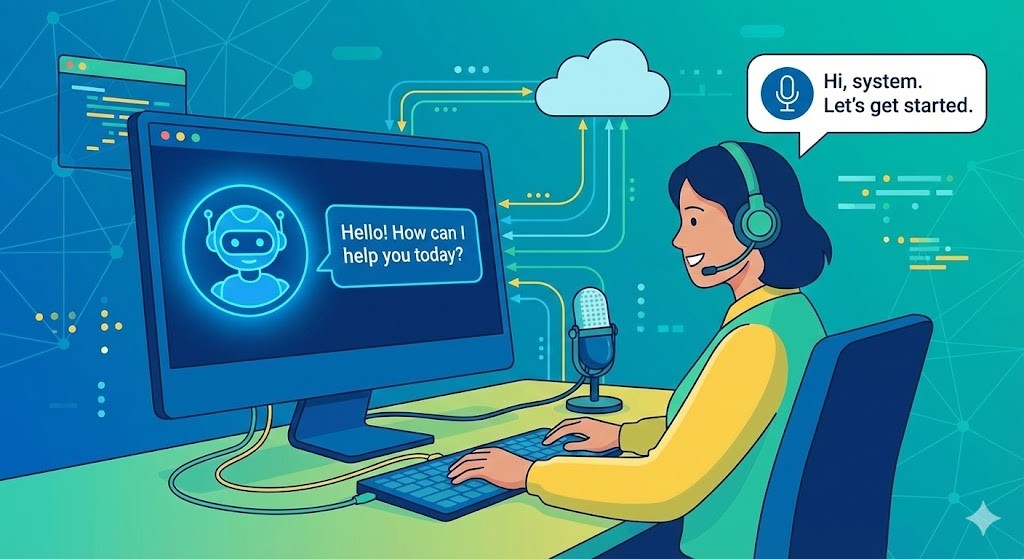
With UI-less, intent-driven AI systems, the conversation itself often replaces the interface—designing becomes about orchestrating intent recognition and responses rather than crafting screens. The experience is shaped by how naturally the system interprets and fulfils user needs without explicit UI steps.
The Bottom Line
Most enterprise apps feel robotic because we design structure before dialogue.
Users don't experience your user flows.
They experience what the system says to them.
Design and bring that first with conversations
Everything else follows.