

In a world buzzing with specialized software, why does excel still dominate the consultant's toolkit?
Now, picture this..
You're in a boardroom full of leadership executives, and you have 15 minutes to get buy-in for a million-dollar project. What's the one tool that never fails to cut through the complexity and get straight to the point?
In a world buzzing with AI-powered dashboards, sophisticated project management platforms, and no-code solutions, why does this humble spreadsheet still dominate every consultant's desktop?
After couple of years in consulting—from taking on client presentations to late-night project pivots—I've witnessed Excel save more projects than I can count. While many people chase latest shiny tool, I've learned something counterintuitive: sometimes most powerful solution is hiding in plain sight.
The truth is, Excel isn't just spreadsheet software. It's the universal language of business..
The great equalizer that turns chaos into clarity.
But why does it work so well? Let me take this further in this article :
Making the Complex Simple for Decision-Makers
Take humble Gantt chart for example—you know : those timeline bars that consultants love? I once had client to work with - seasoned operations director, who insisted on weekly updates in this exact format.
Not because he loved spreadsheets, but because he understood that clear visual timelines prevent costly misunderstandings. When everyone can see dependencies and deadlines laid out simply, projects actually finish on time.
Now, another real example -
When proposing customer self-service portal, instead of burying stakeholders in technical specifications, try this—create an Excel sheet with three columns: Feature, Customer Benefit, and Timeline.
Watch how quickly the conversation shifts from "Is this necessary?" to "How fast can we deliver this?"
Great Unifier for project management
Ever noticed how development teams, marketing departments, legal advisors, and executive leadership rarely seem to communicate effectively? Everyone has their own set of tool preferences…
Here’s where Excel becomes a key tool in project management.
But here's the question that changed everything for me: What if the tool you use could eliminate 80% of project miscommunication before it happens?
During complex product launch, we often see our team struggled with disconnected tools—developers in Jira, marketers in Monday.com, executives wanting summary reports.
Imagine, the level of context switching and distractions…whoof!
The breakthrough came when we create Excel master tracker. Now, tracking everything at higher level became quite easy..risks, dependencies, assumptions, issues and much more coming under one roof.
That's why nowadays - still several project managers love pulling up these status trackers from excel in meetings. The magic happens when everyone stops asking "Where do I find...?" and starts asking "How do we solve...?"
Unbeatable Power of Tables
Why Simple Wins!
In our rush toward digital sophistication, we've forgotten a fundamental truth about human cognition: our brains are wired to process tabular information incredibly efficiently.
But why do tables work so well, and what does this mean for how we present complex ideas? Let me uncover this now :
Art of Persuasive Comparisons
When was the last time you had to choose between multiple complex options under time pressure? How did you make that decision?
Tables don't just organize information—they create moments of clarity that drive decisions. When you're comparing three different technical architectures, five vendor proposals, or competing project approaches, nothing beats side-by-side clarity of a well-structured comparison table.
There’s well know Z-pattern hierarchy and that’s how human eye gazes and same applies here.
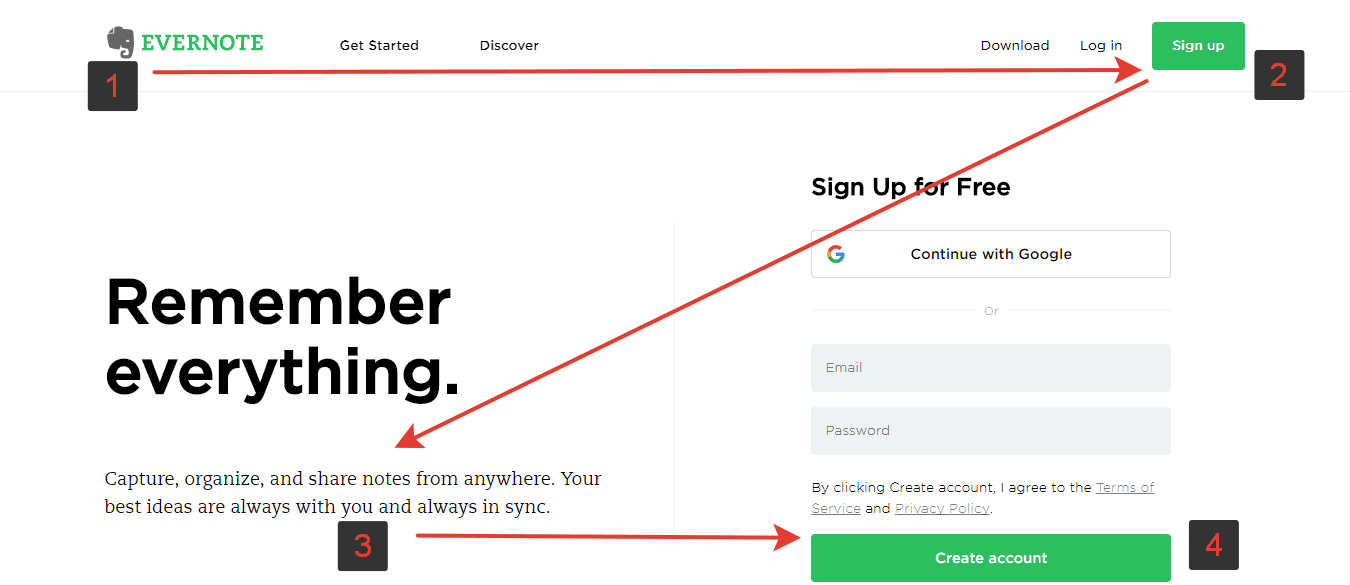
The genius of comparison tables is that they force you to define what matters most. When stakeholders can see trade-offs clearly laid out, they stop arguing about preferences and start discussing priorities.
The Secret Psychology of Tables
Ever wonder why even the most advanced whiteboarding tools like Figjam and Miro are coming loaded with tables to add on boards?
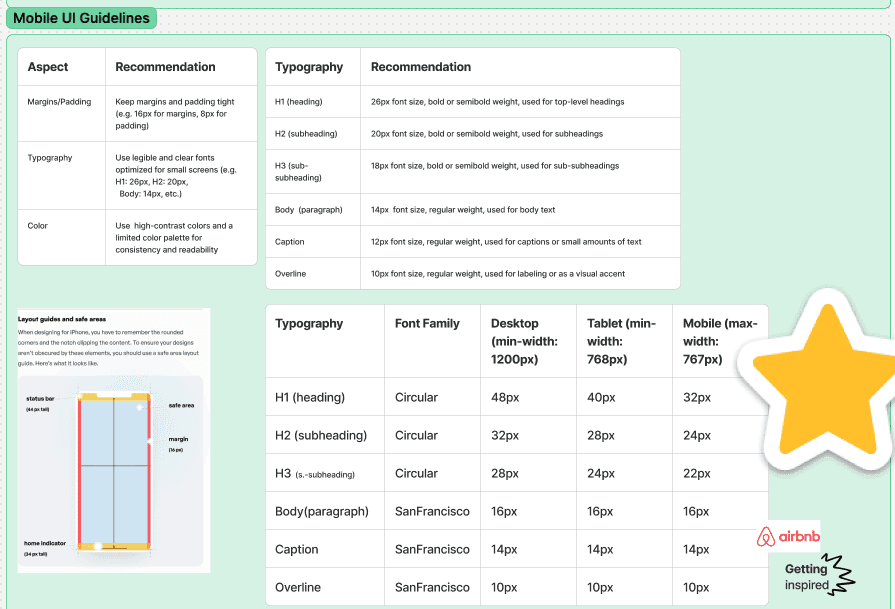
It's not about missing the old days of spreadsheets—it's about how our minds work.
Our minds naturally seek patterns and structures.
When information appears in neat rows and columns, we process it faster, remember it longer, and trust it more. This isn't just convenience; it's how humans are wired to make sense of complexity.
Again, let me recall - Z-pattern how we view websites
This is why Excel will never become obsolete, no matter how many AI-powered tools emerge.
Its fundamental value proposition
Organising information into digestible, comparable chunks—addresses a core human need that technology can enhance but never replace.
—and needs don’t go away…
Unexpected Truth About "Old School" Tools
Here's what several years of being in consulting has taught me: while everyone else is hunting for the next breakthrough tool, the most successful consultants are masters of fundamentals.
They understand that clarity trumps complexity, that accessibility beats sophistication, and that universal adoption outweighs individual preferences.
Excel isn't just software—it's a competitive advantage disguised as commodity technology. It's the tool that lets you focus on solving problems instead of teaching people how to use your solution.
Key Takeaway
In a world obsessed with digital transformation, sometimes most revolutionary thing you can do is excel at "Excel"
So next time, if someone suggests replacing your Excel workflows with latest project management platform, ask yourself: Will this make my ideas clearer, my communication more effective, and my projects more successful?
Or will it just make them more complicated?
📖 There’s this lovely insightful book I always prefer to refer to - Articulate design decisions and you know, most of his examples are seen from tables. It shows how writing down design options and reasons for choosing one helps teams agree faster and feel more confident in their choices - all through table format.
Disclaimer - Above examples may be taken as hypothetical